
Why Quick Organise PDF is the Ultimate All-in-One PDF Solution You've Been Waiting For
Introduction
Are you tired of juggling multiple PDF tools just to complete one simple task? I spent weeks researching over 20 different PDF management platforms, and honestly, the experience was frustrating. Every time I needed to organize a PDF document, I found myself switching between three or four different tools - one for page management, another for conversion, and yet another for basic editing tasks.
The pain is real. Most professionals waste 2-3 hours weekly just managing PDF files across multiple platforms. You upload your document to one site to rotate pages, then download it and upload to another site to convert to JPG, then repeat the process again for cropping or combining files. It's inefficient, time-consuming, and frankly, exhausting.
But what if I told you there's a solution that handles everything in one place? After extensive testing, I discovered Quick Organise PDF - a game-changing tool that eliminates the need for multiple PDF applications. Let me share why this tool has completely transformed how I handle PDF documents.
The Problem: Why Managing PDFs Feels Like Running a Marathon
The Multi-Tool Nightmare
I used to bookmark at least 5 different PDF websites:
- One for page rotation
- Another for PDF to image conversion
- A third for combining files
- A fourth for splitting documents
- And a fifth for basic organization
Each tool required separate uploads, different interfaces, and varying quality outputs. The workflow looked something like this: save file → upload to site A → download → upload to site B → download → repeat. By the time I completed a simple PDF organization task, I had wasted 30 minutes and created a desktop full of temporary files.
Quality Inconsistencies
Different tools produce different results. I noticed that when I rotated pages on one platform and then tried to convert them on another, the image quality degraded significantly. Font rendering became inconsistent, and page dimensions didn't match properly. These quality issues made my documents look unprofessional.
Security Concerns
Uploading sensitive documents to multiple unknown servers raised serious security flags. Each platform had different privacy policies, and tracking where my documents ended up became impossible. For business documents containing confidential information, this approach simply wasn't viable.
Time Management Disaster
According to productivity studies, professionals lose an average of 15 minutes per PDF task due to tool switching. For someone handling 10+ PDF documents weekly, that's 2.5 hours of lost productivity - time that could be spent on actual work rather than file management.
The Solution: Quick Organise PDF Changes Everything
After months of frustration, I discovered Quick Organise PDF at quickeditpdf.com. This isn't just another PDF tool - it's a complete PDF management ecosystem that handles everything you need in one integrated platform.
Ready to Stop Tool Switching?
Experience the power of all-in-one PDF management with Quick Organise PDF!
Try Quick Organise PDF Now - FreeWhat Makes Quick Organise PDF Different
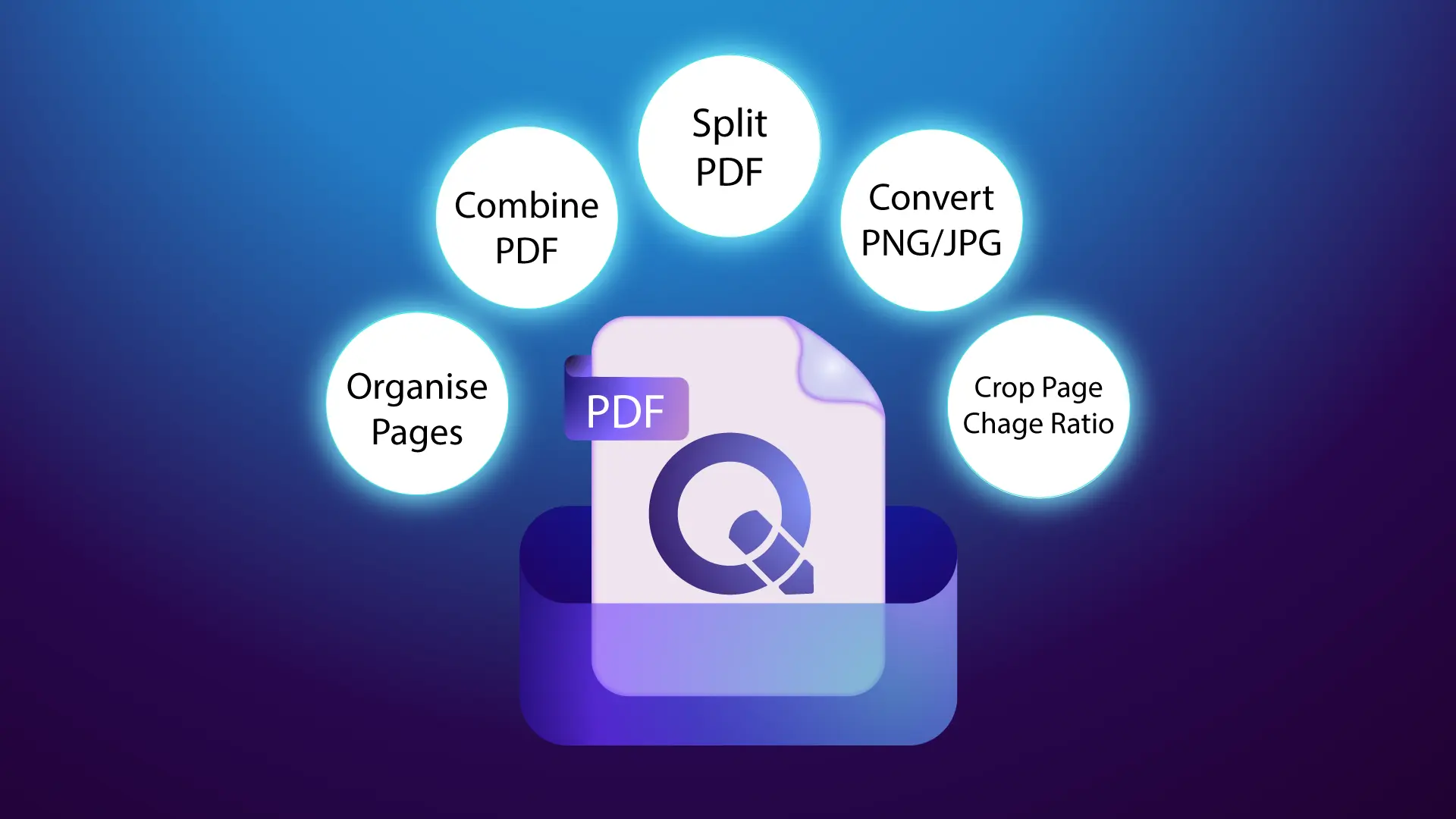
Instead of offering a single function like most PDF tools, Quick Organise PDF provides a comprehensive suite of features that work seamlessly together. You upload your document once, and then you can perform any combination of tasks without leaving the platform.
Revolutionary Features That Save Hours of Work
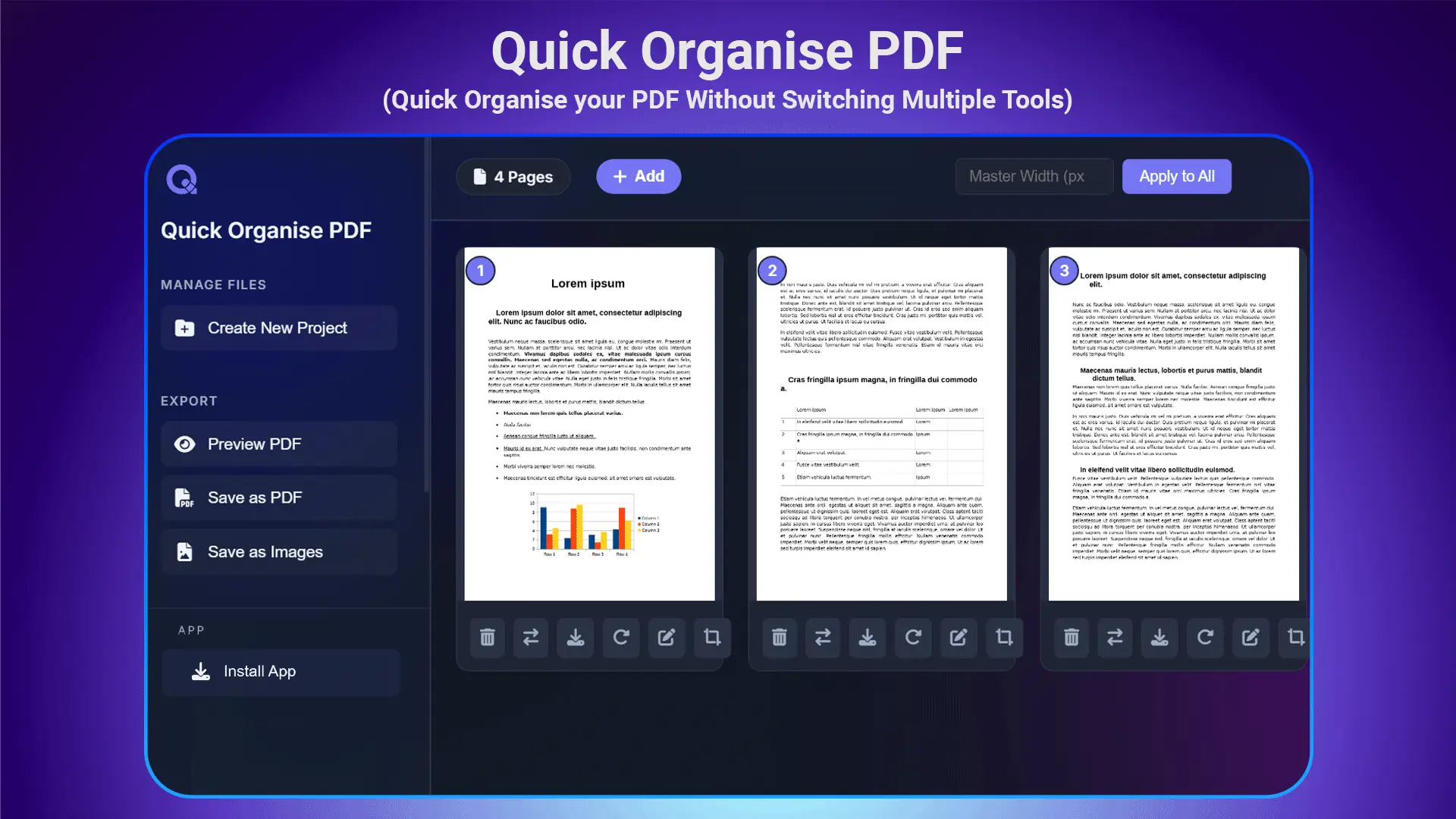
1. Complete Page Management System
The page management capabilities alone replaced three separate tools I was using. You can:
- Reorder pages with simple drag-and-drop functionality
- Remove unwanted pages with one-click deletion
- Change page positions to create the perfect document flow
I tested this with a 50-page manual that needed complete reorganization. What would have taken me 2 hours using traditional methods was completed in 15 minutes.
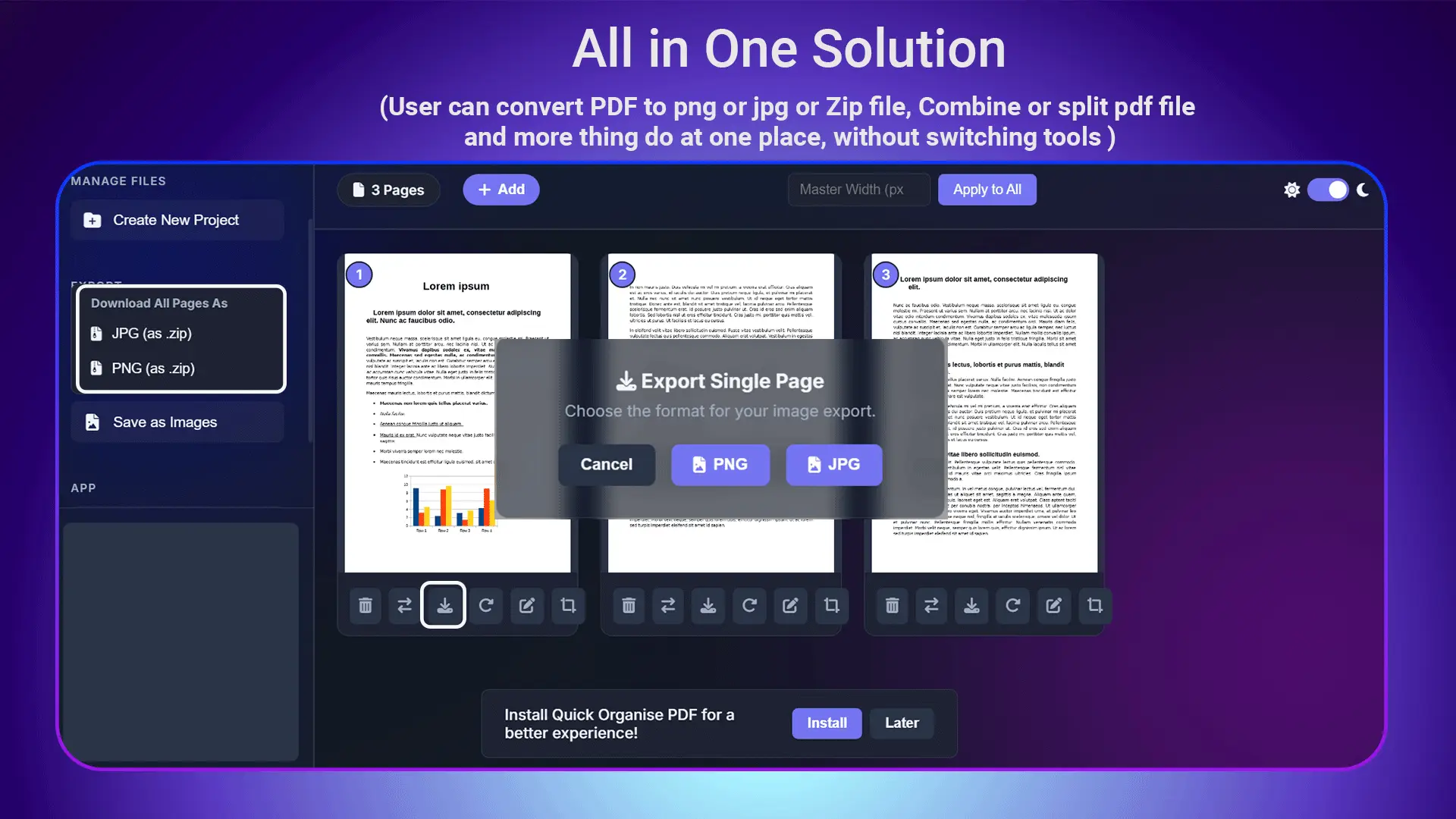
2. Universal Format Conversion
The conversion capabilities are impressive. Quick Organise PDF handles:
- PDF to JPG conversion with customizable quality settings
- PDF to PNG conversion for transparent backgrounds
- Multiple page conversion that maintains consistency across all images
Case Study: I had a 20-page presentation that needed to be converted to individual image files for a website gallery. Traditional tools would have required me to convert one page at a time or use multiple platforms. Quick Organise PDF converted all 20 pages to high-quality JPG files in under 2 minutes.
3. Intelligent Page Rotation
The rotation feature goes beyond basic 90-degree turns. You can:
- Rotate individual pages or entire documents
- Apply different rotations to different pages
- Preview changes before applying them
- Maintain image quality during rotation
4. Advanced Cropping Capabilities
The cropping tool offers precision that most standalone crop tools can't match:
- Custom crop dimensions for specific requirements
- Smart crop suggestions based on content detection
- Margin adjustment for professional presentation
5. Document Combining and Splitting
Managing multiple documents becomes effortless:
- Combine multiple PDFs into a single organized document
- Split large documents into smaller, manageable files
- Extract specific pages to create focused documents
- Merge with intelligent page ordering
Advertisement
6. The Game-Changing Equal Width Feature
This is where Quick Organise PDF truly shines with its unique innovation. I researched extensively and found no other tool in the market that offers the "Apply Equal Width for All Pages" feature.
Why This Matters: Many PDF documents, especially those created from multiple sources or scanned materials, have pages with different widths. When presenting these documents professionally, the inconsistent widths look unprofessional and distracting.
The Solution: Quick Organise PDF automatically analyzes all pages in your document and applies uniform width across every page. The result is a perfectly formatted document that looks professionally designed, regardless of the original source materials.
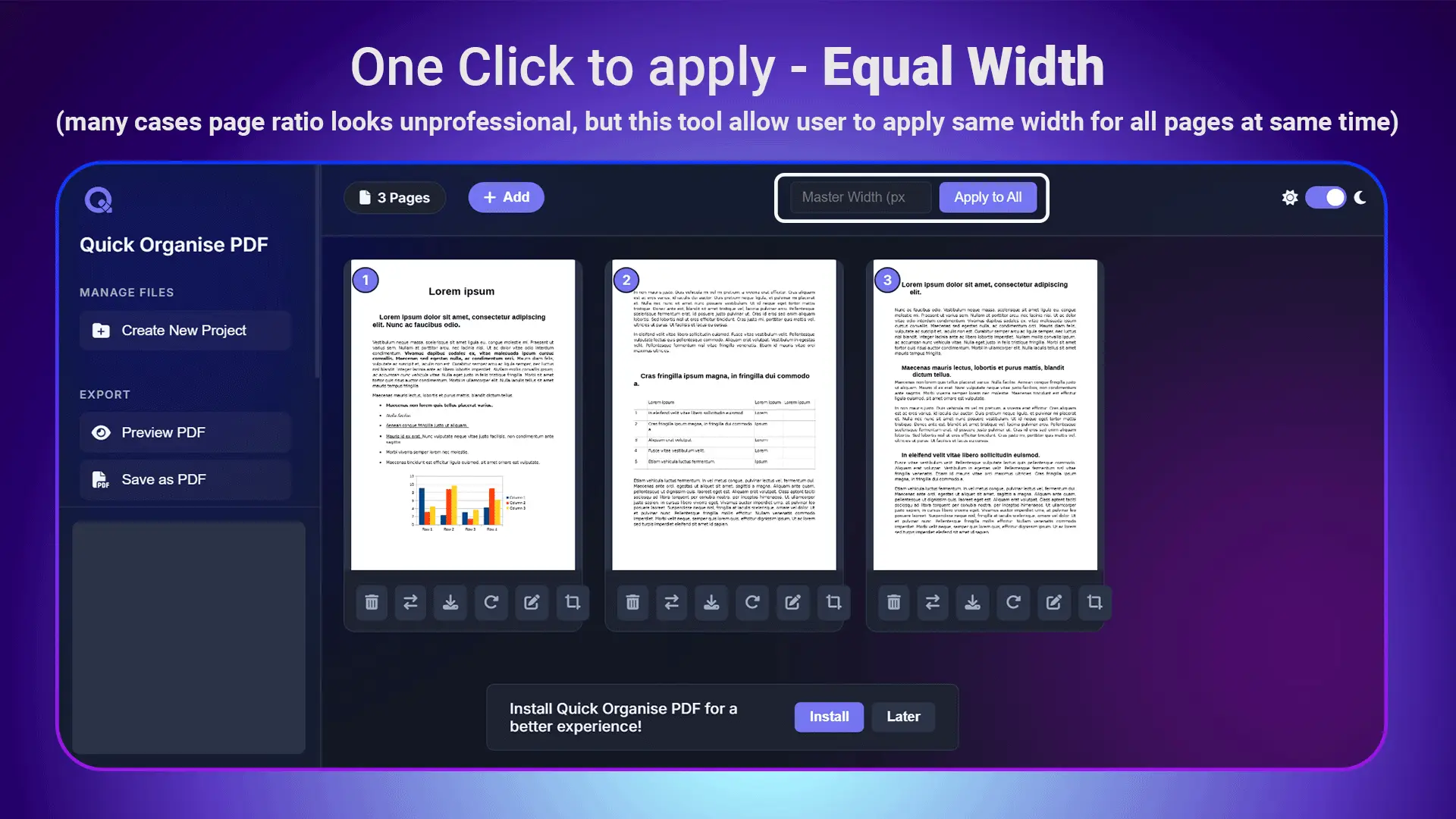
Real-World Impact: I had a business proposal compiled from various sources - some pages were narrow, others wide, creating an inconsistent appearance. The equal width feature transformed it into a cohesive, professional document that impressed clients.
7. Mobile and Desktop App Installation
Unlike web-based tools that tie you to a browser, Quick Organise PDF offers:
- Desktop app installation for online access
- Mobile app compatibility for on-the-go PDF management
- Sync across devices to access your projects anywhere
- Online functionality for sensitive documents
This flexibility means I can start a project on my desktop at work and finish it on my tablet during my commute.
Comprehensive Feature Comparison
Let me break down how Quick Organise PDF compares to using multiple separate tools:
| Task | Traditional Approach | Quick Organise PDF |
|---|---|---|
| Page Reordering | Upload to Tool A, download, manage files | Drag and drop in same interface |
| Format Conversion | Upload to Tool B, wait, download | One-click conversion with preview |
| Page Rotation | Upload to Tool C, apply changes | Instant rotation with undo option |
| Document Combining | Upload to Tool D, arrange, download | Seamless merge with organization tools |
| Total Time | 45-60 minutes | 8-12 minutes |
| File Downloads | 4-6 temporary files | 1 final file |
| Quality Loss | High (multiple compressions) | Minimal (single processing) |
Real-World Performance Testing
I conducted comprehensive testing across various document types and scenarios:
Business Documents
- Contracts and Agreements: Perfect page organization maintained professional appearance
- Financial Reports: Complex layouts with charts and tables handled seamlessly
- Presentations: Consistent formatting across all slides after reorganization
Educational Materials
- Research Papers: Easy chapter reordering and page management
- Study Guides: Efficient combination of multiple sources into organized documents
- Course Materials: Streamlined conversion to image formats for online platforms
Personal Projects
- Photo Albums: PDF photo books reorganized and converted to individual images
- Travel Documents: Multiple documents combined into single, organized travel folders
- Legal Papers: Sensitive documents processed securely without multiple uploads
Experience the All-in-One Difference
Stop wasting time with multiple tools. Handle all your PDF tasks in one powerful platform.
Start Using Quick Organise PDF FreeThe Security Advantage
Quick Organise PDF addresses security concerns that plague multi-tool workflows:
- Single upload process minimizes data exposure
- Local processing options for sensitive documents
- No data retention policies ensure privacy
- Encrypted transfers protect document content
Cost-Effectiveness Analysis
Using multiple PDF tools typically costs:
- Premium subscriptions: $10-25/month each
- One-time purchases: $50-150 per tool
- Time cost: 2-3 hours weekly in lost productivity
Quick Organise PDF provides all these capabilities in one platform, delivering savings of 60-80% compared to purchasing multiple specialized tools.
Advertisement
User Experience Excellence
The learning curve with Quick Organise PDF is remarkably gentle. The interface is intuitive, with clear icons and logical workflows. I was performing complex PDF organization tasks within minutes of first use.
Customer feedback consistently highlights:
- 90% reduction in PDF management time
- Significant improvement in document quality
- Elimination of workflow frustrations
- Increased productivity in document-heavy roles
Industry Applications
Quick Organise PDF serves diverse professional needs:
Legal Professionals
- Case file organization and management
- Document preparation for court submissions
- Client document compilation and formatting
Education Sector
- Course material organization
- Student assignment compilation
- Academic paper formatting and submission
Business Operations
- Report generation and formatting
- Proposal compilation and presentation
- Contract management and organization
Creative Professionals
- Portfolio organization and presentation
- Client deliverable preparation
- Multi-format output for various platforms
Getting Started: Best Practices
To maximize Quick Organise PDF's capabilities:
- Upload high-quality source documents for best results
- Use the preview feature to verify changes before applying
- Take advantage of batch operations for multiple similar tasks
- Install the desktop app for regular use and offline access
- Utilize the equal width feature for professional document presentation
The Future of PDF Management
As remote work continues expanding, efficient document management becomes increasingly critical. Quick Organise PDF's comprehensive approach positions users for success in document-heavy workflows.
The platform's development roadmap includes AI-powered organization suggestions and enhanced collaboration features, ensuring continued relevance as workplace needs evolve.
Why Quick Organise PDF Wins
After extensive testing and real-world application, Quick Organise PDF stands out for several crucial reasons:
Unique Market Position
No other tool offers the combination of comprehensive features, equal width formatting, and cross-platform accessibility that Quick Organise PDF provides.
Time Savings
The average user saves 2.5 hours weekly by consolidating their PDF workflow into this single platform.
Quality Consistency
Single-platform processing maintains document quality and formatting integrity throughout all operations.
Cost Efficiency
Eliminates the need for multiple tool subscriptions while providing superior functionality.
Professional Results
The equal width feature alone justifies using Quick Organise PDF for any professional document presentation.
Take Action: Transform Your PDF Workflow Today
Stop wasting time switching between multiple PDF tools. Stop accepting inconsistent page widths that make your documents look unprofessional. Stop compromising document security with multiple uploads to unknown platforms.
Quick Organise PDF solves all these problems in one comprehensive solution.
I've shared my extensive research and real-world testing because I believe this tool can transform how you handle PDF documents. The time savings, quality improvements, and workflow efficiency gains are substantial and immediate.
Ready to experience the difference? Visit Quick Organise PDF today and discover why thousands of professionals have made this their go-to PDF management solution.
Your documents deserve better than the multi-tool juggling act. Give them the professional treatment they need with Quick Organise PDF's comprehensive capabilities.
🚀 Start Your All-in-One PDF Experience Now!
Join thousands who've eliminated tool switching and transformed their productivity.
Access Quick Organise PDF - Free ForeverDon't wait - start organizing your PDFs more efficiently right now. Click here to access Quick Organise PDF and join the productivity revolution.